




Displacement Effect Tutorial in Photoshop
Added on November 20th 2009
, Tagged :

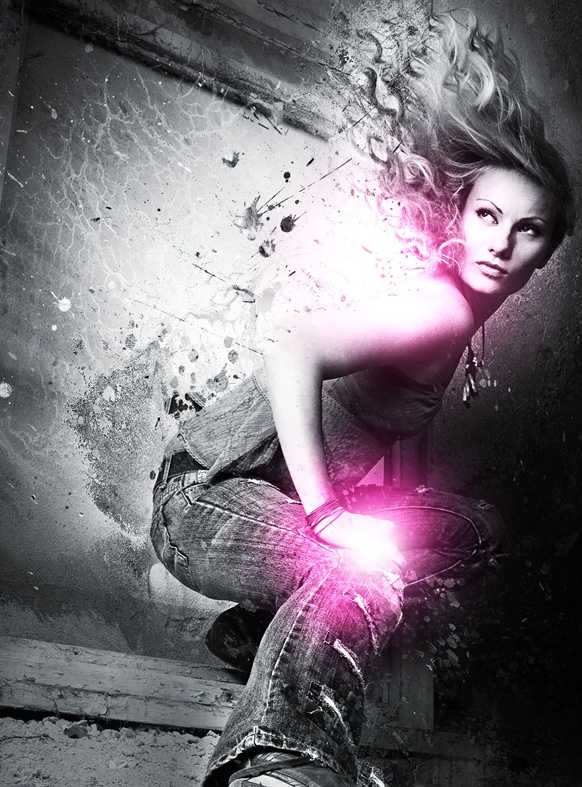
In this tutorial I will be showing you how to use the displacement Filter to your advantage and create a stunning black and white illustration. You will learn how to create clipping masks by using splatter brushes and how to manipulate image adjustments to sort out coloring and shadow composition. This tutorial is very easy to follow and you will learn quite a few new little tricks by doing the tutorial. Hope you enjoy it and have fun.
I wrote the tutorial for Francesco Mugnai’s Blog where I am editor as well. It is a hefty technique that a lot of users don’t know about and would be able to implement pretty well with their usual work flow.
- Source : http://creativeoverflow.net
- 16026 hits
- Categories : Photo Editing, Digital Art
Final Preview :
Other Tutorial by http://creativeoverflow.net :

Creating a Nature Inspired Digital Piece in Photoshop
Added on 2010-12-01 03:48:47

Smashing Your Creative Block
Added on 2010-03-02 05:57:20
1 comment on Displacement Effect Tutorial in Photoshop
Add a comment on Displacement Effect Tutorial in Photoshop

Faisal - added January, 19th 2010
“ this pic was realy cool..i need to learn how to make make it.. “