




How to create amazing light effects in Photoshop
This tutorial will teach you how to easily create light effects in Photoshop. We will play with blending modes, adjustments layers and brushes. We will use smoke brushes, but I recommend you to experiment with any kind of brush set. Remember that the key to obtain the best result with this technique is to create at first a dark background, then introduce the image you want to enhance, and at the end create your lights with a combination of brushes (or vectors or stock images).
- Source : http://wegraphics.net
- 7334 hits
- Categories : Abstract Effect, Light Effect
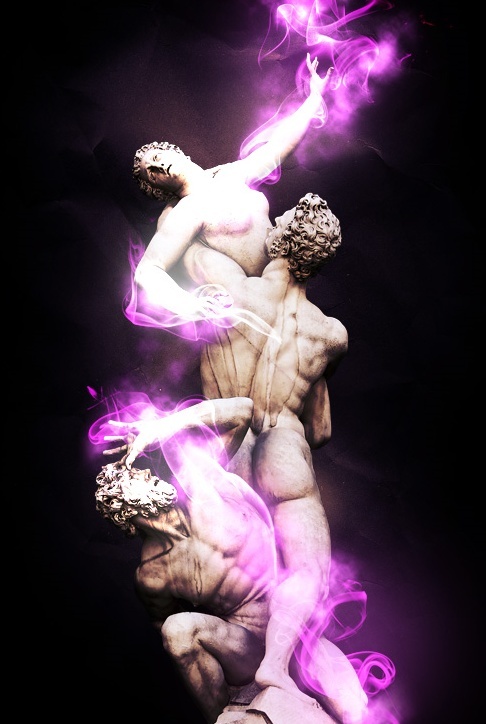
Final Preview :
Other Tutorial by http://wegraphics.net :

Playing with custom brushes to create magical scenes
Added on 2010-09-14 06:47:11

Create a Sweet Chocolate-Coated Text Effect
Added on 2010-03-23 19:14:18

Using HDR Toning in Photoshop to Create a Fantasy Forest Scene
Added on 2012-04-21 07:07:54
Add a comment on How to create amazing light effects in Photoshop
